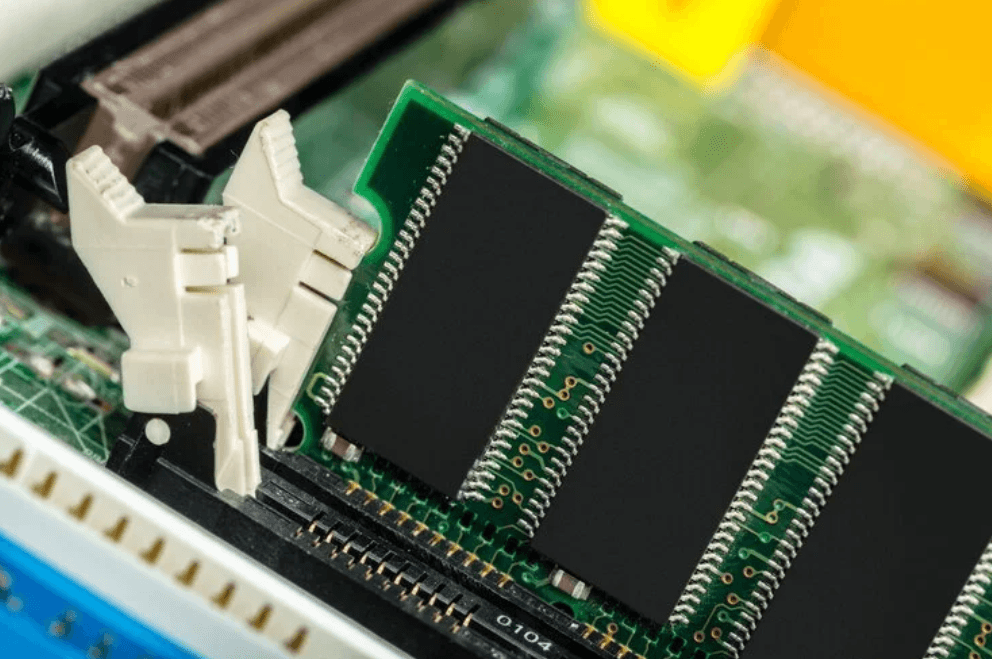
Computers now handle large files, demanding software, gaming, video editing, and heavy multitasking on a regular basis. All of these tasks depend on fast and reliable system memory. DDR5 memory modules provide higher bandwidth, improved capacity, and lower operating voltage than DDR4, making them a strong choice for newer computer systems. From gaming PCs to professional workstations, the right RAM can help a system handle demanding workloads more effectively. Ram Exchange offers RAM options for different computing needs, helping users find memory that matches their hardware.
What Are DDR5 Memory Modules?
DDR5 stands for Double Data Rate 5 and is the successor to DDR4 memory technology. It was designed to provide faster data transfer and support larger memory capacities for newer computing platforms. Unlike storage, RAM is temporary working memory. The processor uses it to access information that applications need while they are running. More capable memory can make it easier for a computer to manage several tasks at once.
DDR5 brings several improvements over previous memory generations, including:
- Higher data transfer rates
- Greater memory capacity
- Lower operating voltage
- Improved memory bandwidth
- Two independent subchannels per module
- On-module power management
These changes make DDR5 suitable for computers that need to process more data without relying heavily on slower storage.
How Faster RAM Helps a Computer
The processor needs quick access to data while applications are running. RAM provides that temporary space, allowing frequently used information to remain available to the CPU. DDR5 offers greater bandwidth than DDR4, which means more data can be transferred over a given period. This can be useful for workloads that move large amounts of information between the processor and memory.
The benefits can be noticeable in tasks such as:
- Video editing
- 3D rendering
- Software development
- Large spreadsheet work
- Gaming
- Virtual machines
- Data analysis
- Multitasking with demanding applications
RAM speed alone does not determine overall computer performance. The CPU, graphics card, storage, motherboard, and software all contribute to the final result.
Why Capacity Matters
Memory capacity affects how many applications a computer can keep active at the same time. A system with limited RAM may need to use storage more often as temporary memory, which can slow down multitasking. DDR5 supports higher-capacity modules, giving newer computers more room for demanding applications. This can be useful for professionals who work with large projects or several programs simultaneously.
For example, a video editor may have editing software, source footage, audio tools, and other applications open together. A developer may run code editors, browsers, testing environments, and virtual machines at the same time. More RAM does not automatically make every application faster, but having enough memory prevents RAM capacity from becoming a common performance limitation.
Where DDR5 Memory Makes Sense
DDR5 can be useful across several types of computer systems.
Gaming PCs
Modern games can place considerable demands on system memory, particularly when combined with a powerful CPU and graphics card. DDR5 provides higher bandwidth for compatible gaming platforms and can help in workloads where the CPU and memory are performance limits.
Content Creation
Video editing, photography, animation, and 3D work often involve large files and demanding software. Higher memory capacity can make multitasking easier and provide more working space for large projects.
Professional Workstations
Engineers, architects, developers, researchers, and other professionals may use applications that require substantial system resources. DDR5 can provide the bandwidth and capacity needed by newer workstation platforms.
Business Computers
Business users working with large spreadsheets, databases, development software, or multiple applications can benefit from sufficient memory capacity. For simple office tasks, however, a basic DDR5 setup may be more than necessary.Ram Exchange provides different RAM options for users who need to upgrade existing systems or select memory for a new computer build.
Choosing the Right DDR5 Memory
The fastest available RAM is not always the right choice. Memory should match the computer’s hardware and the user’s actual workload.
Before purchasing DDR5, check these specifications:
- Capacity: Decide how much RAM the system needs for its regular workload.
- Speed: Check the memory speed supported by the processor and motherboard.
- Compatibility: Confirm that the motherboard and CPU support DDR5.
- Latency: Compare memory timings along with the advertised speed.
- Module count: Matched modules can support multi-channel operation on compatible systems.
- Maximum capacity: Check the motherboard’s maximum supported RAM.
- Form factor: Make sure the module type matches the computer.
These details can prevent compatibility problems and help users avoid spending money on specifications their system cannot use.
DDR5 for Demanding Workloads
Many modern applications depend on both processing power and memory performance. A powerful processor still needs quick access to the data required by its applications. DDR5’s higher bandwidth can be useful for workloads that constantly move data between the CPU and RAM. Virtual machines are one example. Running several virtual environments can require a large amount of memory, particularly when each environment has multiple applications running.
Data-heavy applications can also benefit from greater memory capacity. Keeping more active information in RAM can reduce the need to repeatedly access storage. Some artificial intelligence and machine learning systems also use large amounts of system memory alongside GPUs and other processing hardware. DDR5 does not replace specialized hardware, but it can provide the memory resources needed around those components.
See also: Proper Thawing Techniques for Frozen Seafood
Power Efficiency and DDR5 Design
DDR5 operates at a lower standard voltage than DDR4, which can help reduce power consumption at the module level. DDR5 also includes power management circuitry on the memory module itself.This design gives the memory module greater control over power delivery. Actual energy use still depends on factors such as memory capacity, workload, processor, motherboard, and cooling. For systems running for long periods, such as workstations and business computers, efficient memory operation can be one part of managing overall system power use.
What to Check Before a RAM Upgrade
A RAM upgrade should begin with the computer’s specifications. Installing memory without checking compatibility can lead to problems or prevent the system from starting correctly.
Before ordering DDR5 memory, check:
- Motherboard model and specifications
- Processor compatibility
- Maximum supported RAM
- Supported DDR5 speeds
- Number of available memory slots
- Recommended module configuration
- Operating system memory limits, where applicable
Users should also avoid assuming that an existing DDR4 system can simply be switched to DDR5. Moving from DDR4 to DDR5 often requires a compatible motherboard and processor platform.
DDR5 in New Computer Builds
For a new computer, DDR5 can provide a useful foundation for workloads that require higher memory bandwidth and capacity. Many newer desktop and workstation platforms are designed around DDR5 support. A balanced system should consider all major components rather than focusing only on RAM speed. A fast memory kit paired with an unsuitable processor, limited storage, or incompatible motherboard will not deliver the expected results. For this reason, RAM should be selected as part of the complete system configuration.
Explore RAM Options for Your System
The right memory depends on what the computer is used for. A gaming PC, office computer, workstation, and development machine can all have different RAM requirements. Users comparing available options can Explore Our RAM Products to review memory choices based on capacity, speed, and system compatibility. Ram Exchange can also be considered when comparing RAM for upgrades, replacement modules, or new computer builds. Checking the system specifications before buying helps ensure the selected memory is suitable.
Get the Right DDR5 Memory
DDR5 offers higher bandwidth, greater capacity options, and lower standard voltage than DDR4. These features make it well suited to newer computers handling demanding software, gaming, content creation, professional applications, and heavy multitasking. The best choice still depends on the individual system. Capacity, speed, latency, compatibility, and module configuration should all be checked before making a purchase. Ram Exchange provides RAM products for different computer requirements, helping users choose memory that fits their systems. Need help selecting the right memory for your computer? Contact Ram Exchange today to discuss your RAM requirements and find a suitable DDR5 option.